


Welcome to the future of construction, anywhere in the world.
Leveraging the unique capabilities of XFrame hardware, our patented software workflow quickly specifies costs, creates fabrication assets, and produces bills-of-materials for production.
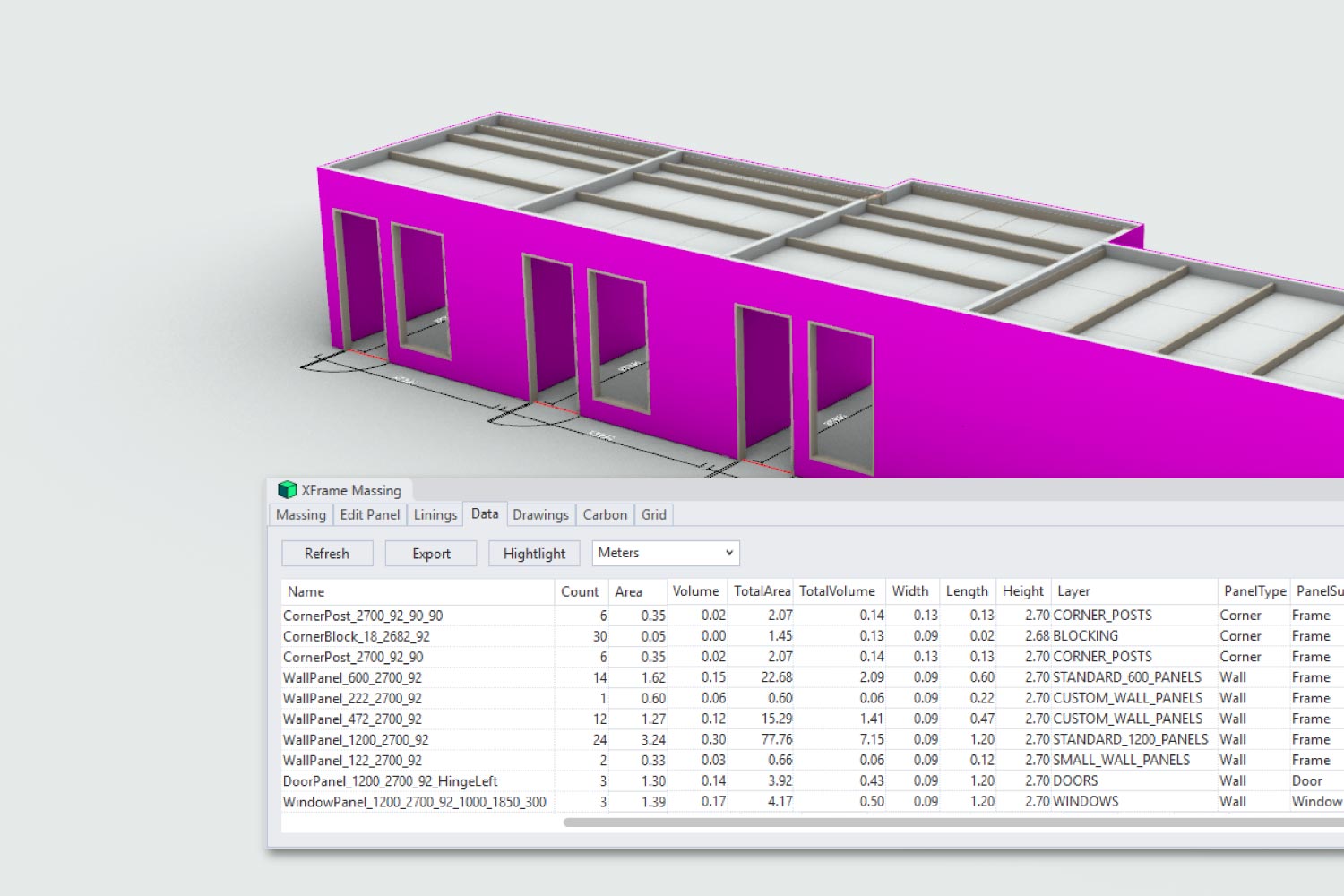
Automated Costing & Quantification
XFrame replaces crude per-square-metre estimating with dynamic project costing based on actual components, assemblies and deployment requirements.
- Automated bespoke part costing
- Assembly-based pricing
- Instant labour and fabrication estimates
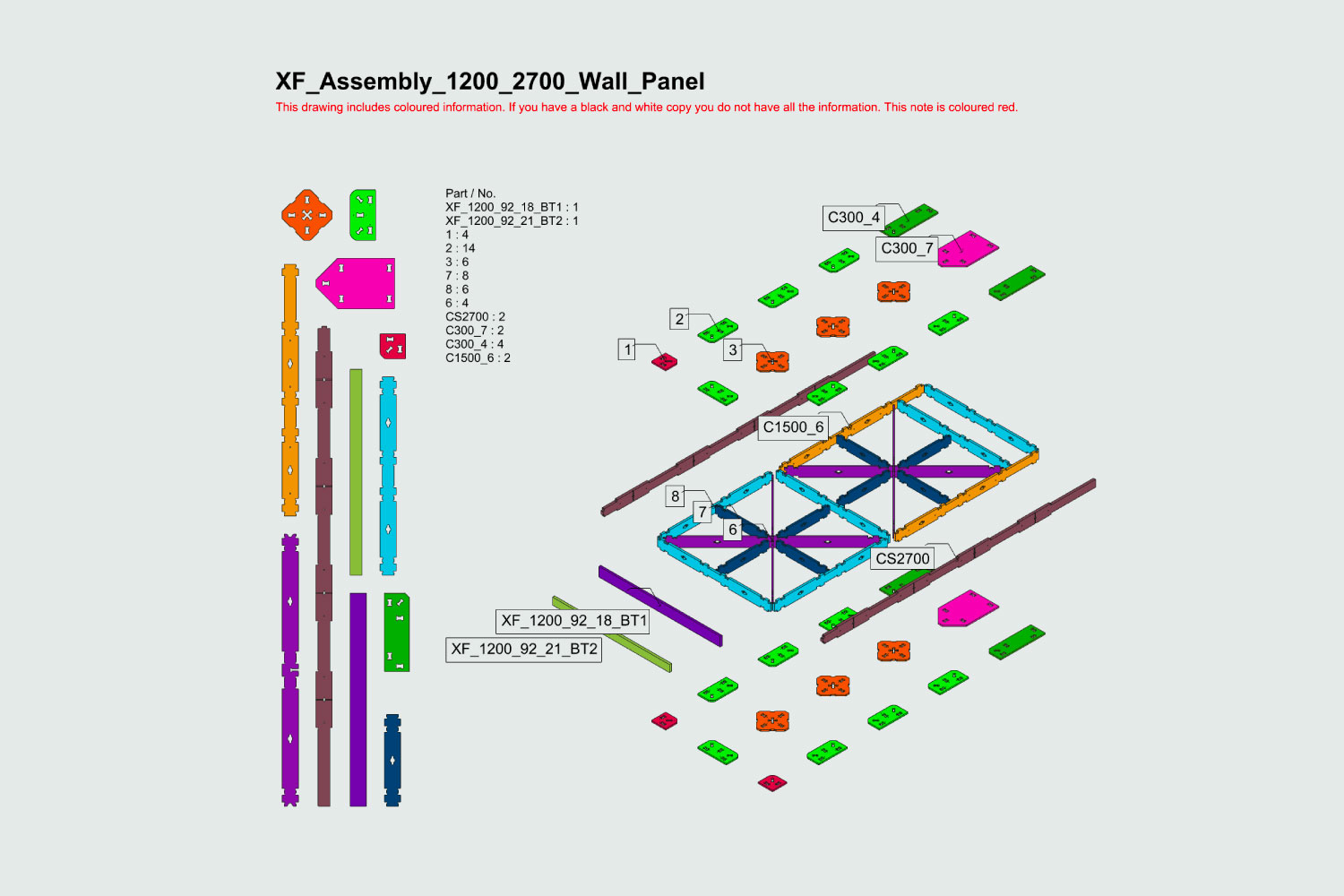
Automation-Assisted Shop Drawings
Project-specific shop drawings and assembly documentation are generated automatically for prefabrication workflows. Outputs can be tailored to suit project and subcontractor requirements.
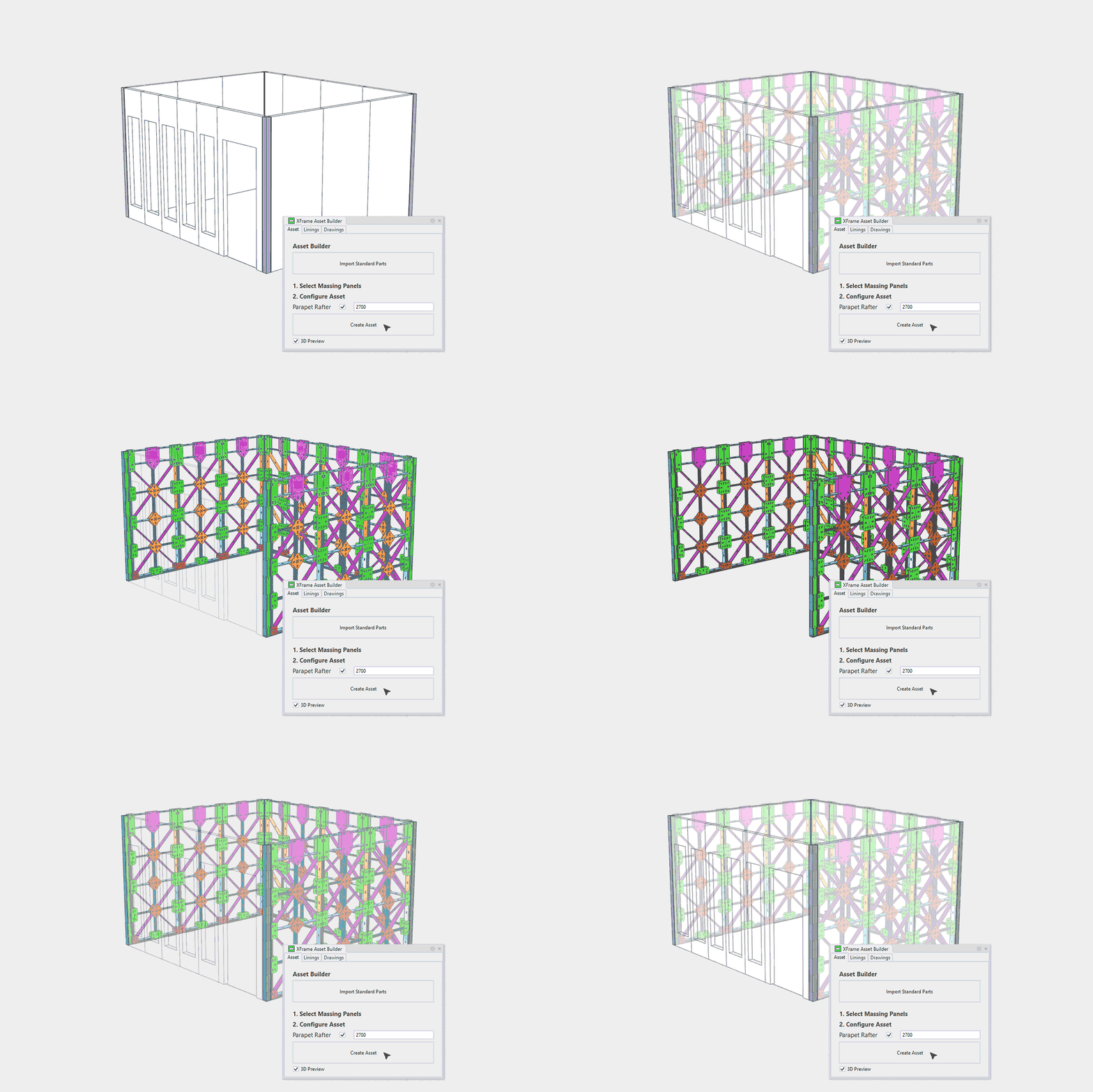
Automated Standard Asset Deployment
XFrame's modular workflow automates the deployment of standard building components, accelerating project setup, and documentation.
- Geometry aligned to standard panel sizes
- Fabrication assets automatically assigned
- Embedded cost, carbon, and component data
- Ready for immediate quantity take-offs
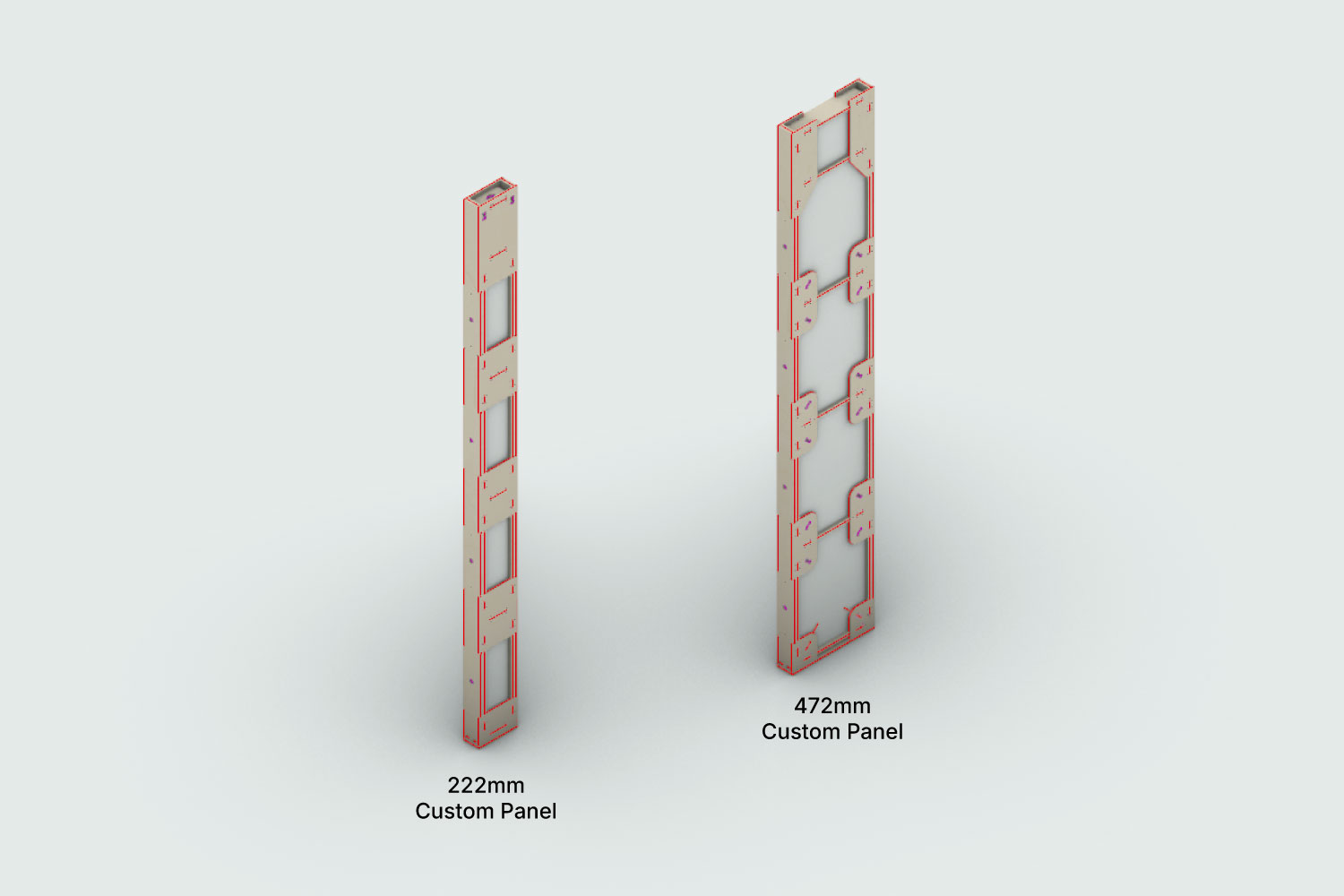
Automated Custom Part Generation
XFrame dynamically generates custom 3D components using a nodal mathematical grid based on the structural logic of the XFrame system. This enables rapid creation of project-specific parts while maintaining consistency with established manufacturing workflows.
Current custom part generation supports standard panel widths (600mm and 1200mm modules) and raked wall sections up to a 1:10 pitch. As the XFrame asset library expands, support for additional custom geometries will continue to grow.
Asset Reuse Optimisation
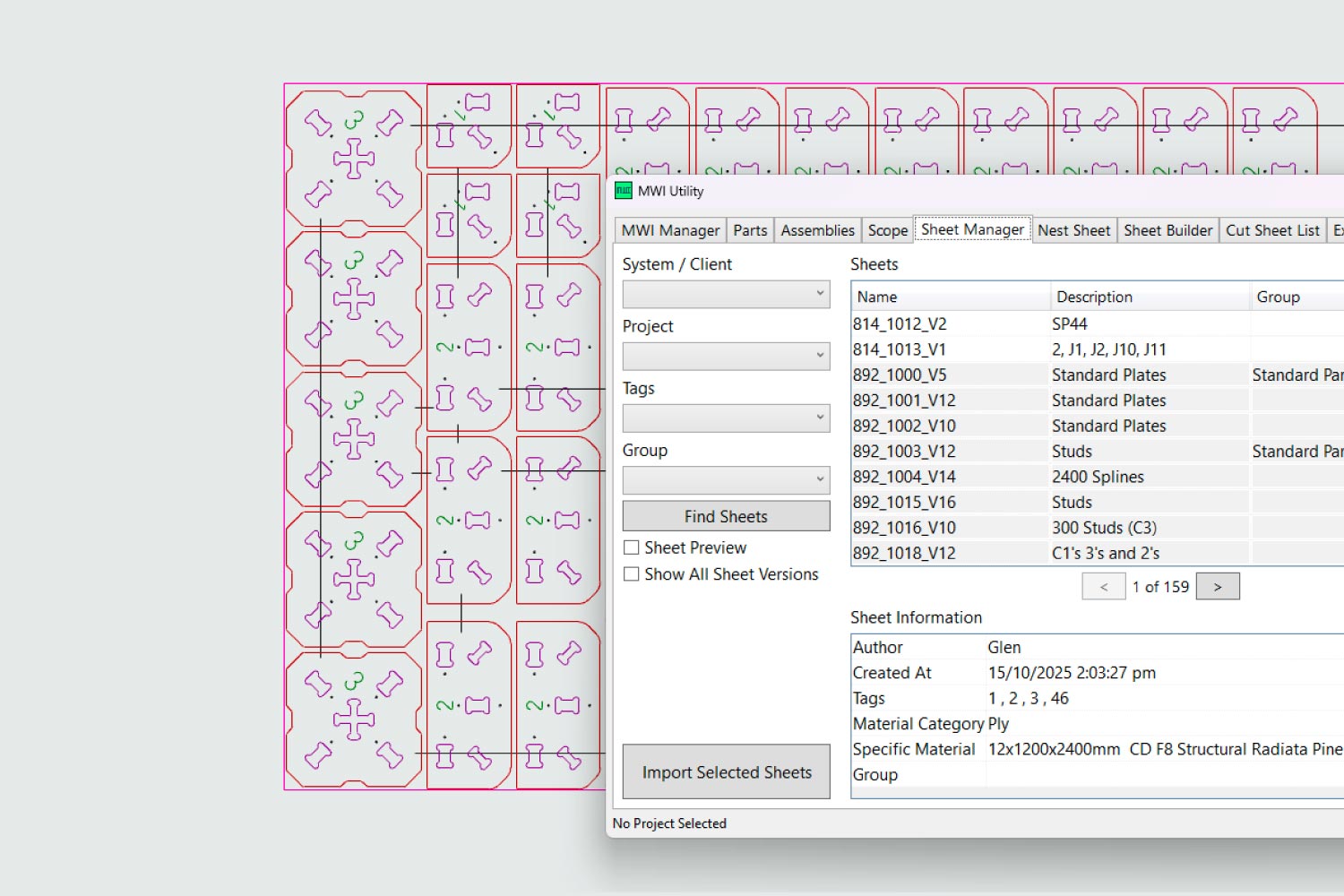
XFrame's production workflow is designed to maximise the reuse of existing tooling and pre-manufactured production assets. By leveraging historical production data, the system reduces setup time, minimises material waste and improves manufacturing efficiency.
- Standard production assets loaded from a central database
- Automated optimisation of sheet selection
- Reduced spare parts and material waste
- Manufacturing schedules generated automatically
Manufacturing Work Instruction Packages
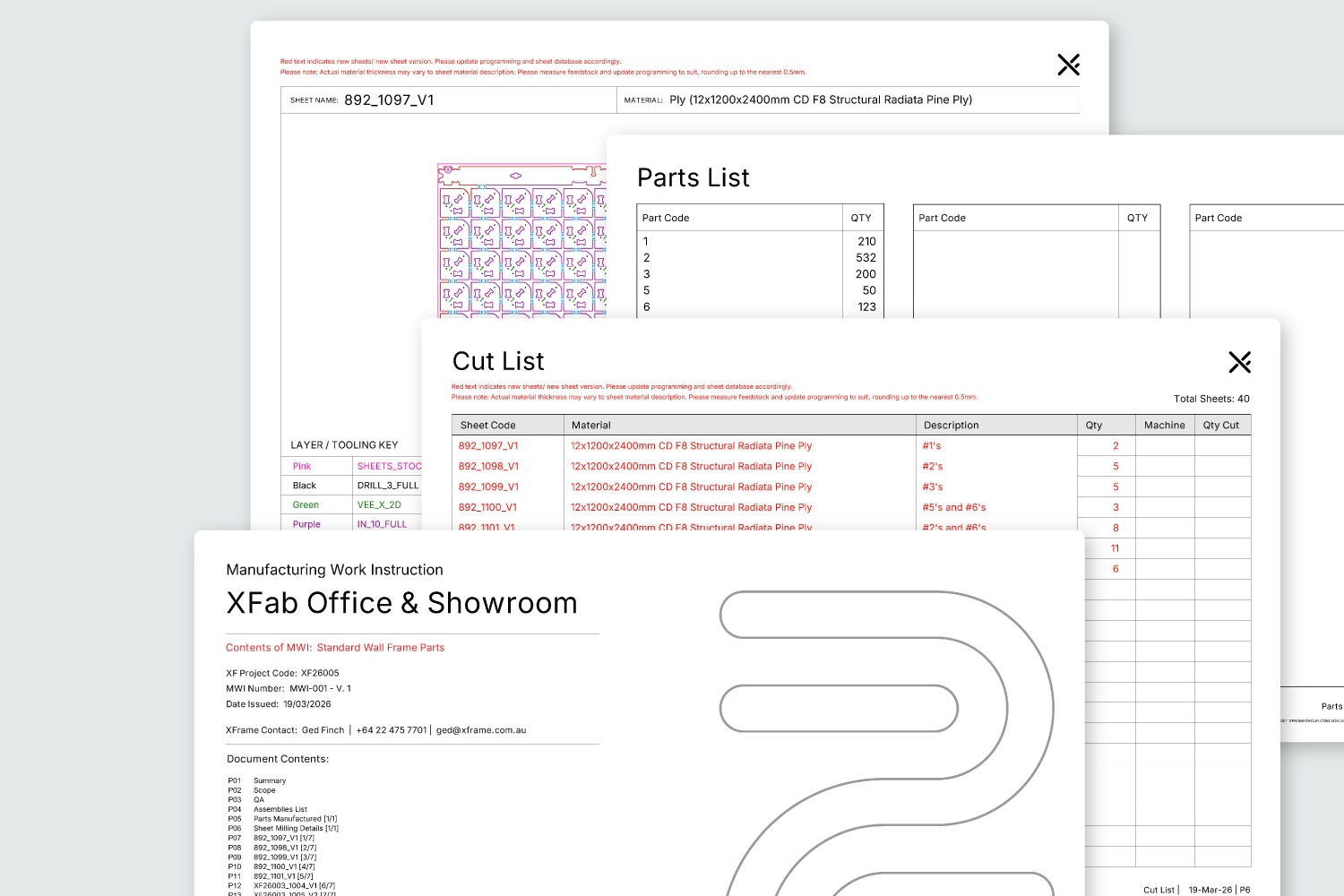
Automation-assisted workflows generate comprehensive production documentation to support efficient factory operations.
- Cut summaries and production schedules
- Manufacturing cover sheets and revision tracking
- Part registers and optional DXF exports
- Sheet-by-sheet production instructions

Automated CAD-CAM Workflow
XFrame can supply pre-nested, pre-tooled, and production-ready manufacturing files, reducing CAM setup time and simplifying CNC fabrication workflows.
Tooling information is assigned through structured DXF layer data for automated CAM processing.
Integrated Project Hub
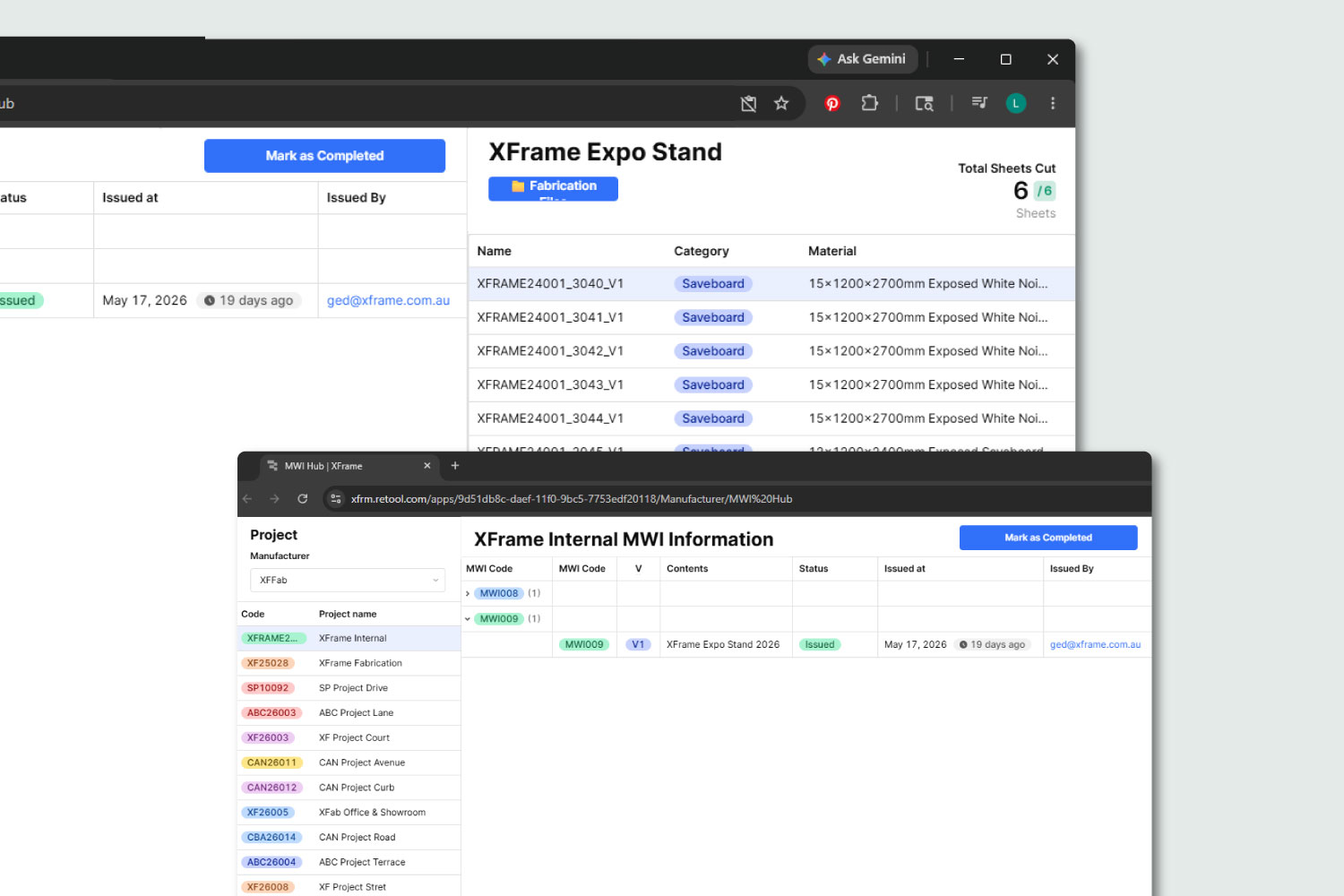
The XFrame Project Hub provides a central platform for project communication, QA, production tracking, and reporting.
- Factory workflow integration
- Ticketing and audit management
- Procurement and variation tracking
- Cut-sheet status reporting
- Manufacturing and billing records



Getting started with
XFrame is simple.
1. Reach Out
We meet, review your concept, and discuss your requirements further.
2. Quote
We show you what your design looks like in XFrame and put together a proposal with transparent pricing.
3. Deployment
Once your plans specifying XFrame have been finalised and sent to your chosen builder, we get
to work.
